 Default Customer Order Notifications
| Document Version | v1 |
|---|---|
| Document Last Updated | 2/20/2024 |
| Software Version Documented | v.10.0 |
Default Customer Quote Order, and Job Notifications
Quote, Order, and Job notifications can pop up if they are added to specific customer(s) and/or their Jobs and the ability to view that note when entering that quote for that Customer or Customer’s Job. That note will be available to see anytime in the Quality>Notes tab on the Quote as well as the Order.
Add an Order Notification to Customer Account
To add an Order Notification to a Customer, go to Accounts>Manage Accounts, and open an Account in the Account Manager.
-
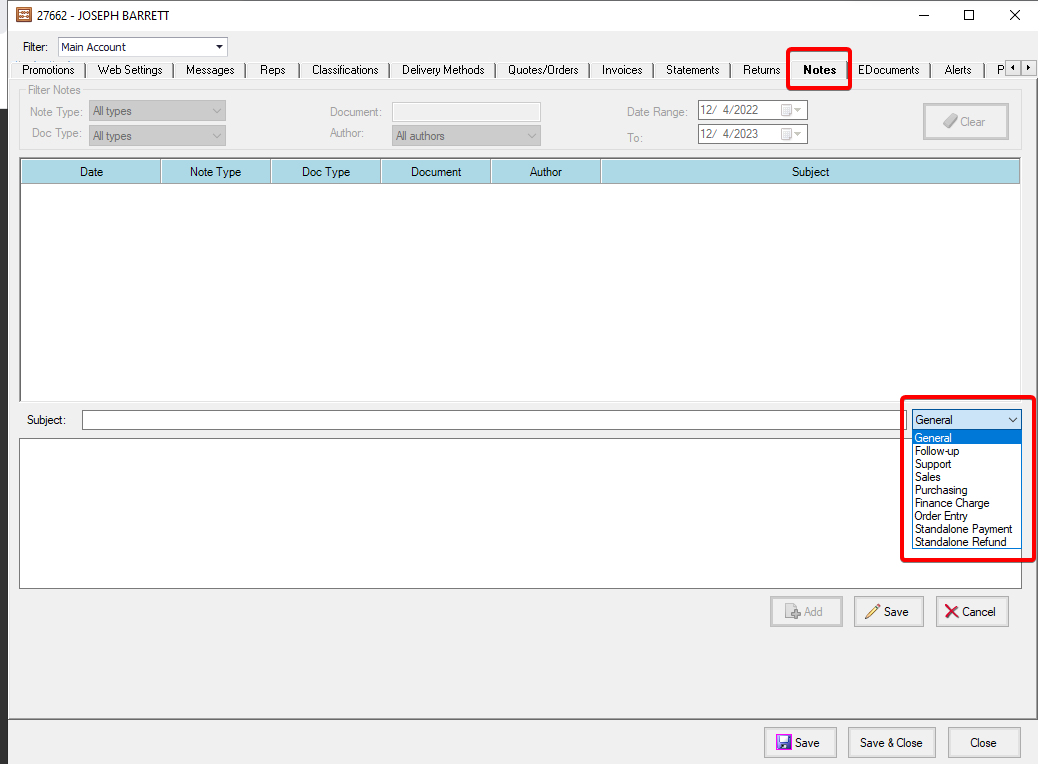
Click on the Notes tab and click on Add. For the Note Type, choose Order Notification
-
Enter Subject and Body(Optional)
-
Save the Note.
-
Save and Close the Customer Account
Add an Order Notification to a Customer Account Job
To add an Order Notification to a Customer Account Job, go to Accounts>Manage Accounts, and open an Account in the Account Manager. Pick a Job in the upper left hand filter.

-
Click on the Notes tab and click on Add. For the Note Type, choose Order Notification
-
Enter Subject and Body(Optional)
-
Save the Note.
-
Save and Close the Customer Account
Note Popup on a Quote - Customer
-
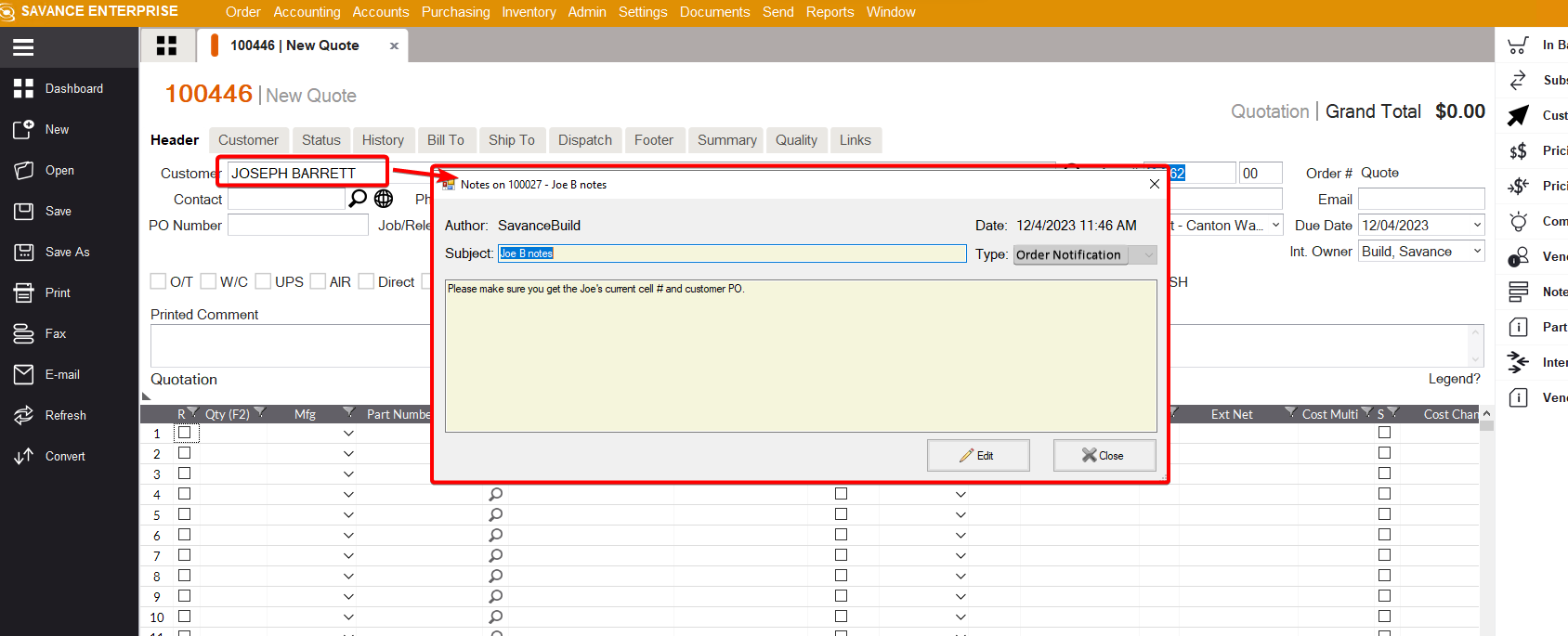
Enter a quote for the Customer that you have added an Order Notification type note.
-
Upon clicking away or pressing tab, a Notes window appears showing the Order Note.
-
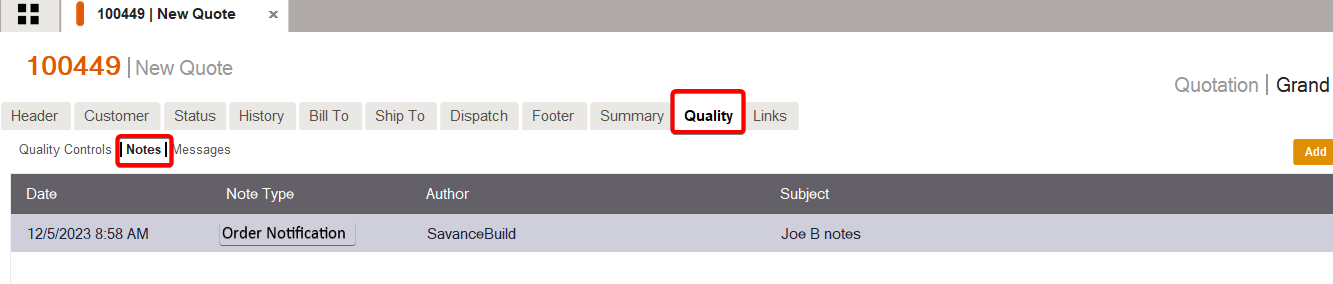
Click on the Quality>Notes tab to see that Note.
-
Double Click on that Note, the same note window appears
-
When the Quote is converted to an Order, that same note is still there and viewable
Note Popup on a Quote - Job
-
Enter a quote for the Customer Job that you have added an Order Notification type
-
Upon clicking away or pressing tab, a Notes window appears showing the Order Note.
-
Click on the Quality>Notes tab to see that Note.
- Double Click on that Note, the same note window appears
Note Popup on a Quote - Customer And Job
- When I click on it the same note window appears
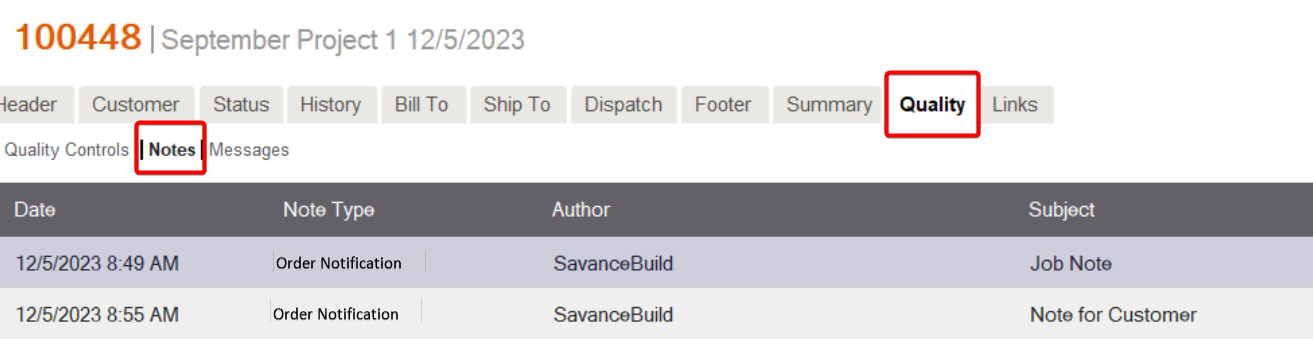

- The user can click Edit or Close as with any note. The new function is that the type: Order Notification causes it to pop up when that customer or job is added to the quote.